[](https://api.reuse.software/info/github.com/bofh69/nfc2klipper)

# nfc2klipper
Automatically sets the loaded spool & filament in klipper by using NFC/RFID tags.
- Table of Contents
- [Prepare for running nfc2klipper](#prepare-for-running-nfc2klipper)
- [Preparing an NFC reader](#preparing-an-nfc-reader)
- [PN532 bug in the nfcpy module](#pn532-bug-in-the-nfcpy-module)
- [Preparing klipper](#preparing-klipper)
- [Preparing the slicer](#preparing-the-slicer)
- [Preparing tags](#preparing-tags)
- [Using tag's id](#using-tags-id)
- [SPOOL & FILAMENT in tags](#spool--filament-in-tags)
- [Write tags with the web server](#write-tags-with-the-web-server)
- [Write with an app](#write-with-an-app)
- [Write with console application](#write-with-console-application)
- [Run automatically with systemd](#run-automatically-with-systemd)
- [Automatic upgrades with moonraker](#automatic-upgrades-with-moonraker)
- [Use with Happy-Hare](#use-with-happy-hare)
- [Use with Prusa's OpenPrintTag tags](#use-with-prusas-openprinttag-tags)
- [Use with OpenTag3D tags](#use-with-opentag3d-tags)
- [Related projects](#related-projects)
- [Developer info](#developer-info)
## Prepare for running nfc2klipper
Install python >= 3.9.
On some distributions you may need to install "python3-venv" or
something similar.
In the cloned repository's dir run:
```sh
python3 -m venv venv
venv/bin/pip3 install -r requirements.txt
```
Copy and update `nfc2klipper.cfg` to `~/.config/nfc2klipper/nfc2klipper.cfg`.
You can specify a custom configuration directory using the `-c` or `--config-dir` command-line option:
```sh
venv/bin/python3 nfc2klipper_backend.py -c /path/to/config/directory
```
## Preparing Spoolman
nfc2klipper can use RFID/NFC tags containing its own format, but
it can also use tags in other formats, like tags for
Filaman, OpenTag3D and probably many others.
For it to be able to use other tag formats, the spool needs to have
an extra `nfc_id` field (just like FilaMan). Add it in Spoolman under
settings -> extra fields -> spool.
## Preparing an NFC reader
I use a PN532 based reader (Elechouse PN532 NFC RFID Module V3, if you
want to use the same) connected via UART to the raspberry pi where this
program is running.
Many pages suggest connecting its VCC pin to 5V on the RPi. Don't!
It can run from 3.3V and then it won't risk slowly destroying the RPi's
GPIO pins.
See [here](https://learn.adafruit.com/adafruit-nfc-rfid-on-raspberry-pi/pi-serial-port)
for how to configure a raspberry pi for it (but change VCC pin...).
Run `sudo rpi-update` to avoid problems with older firmware on the pi.
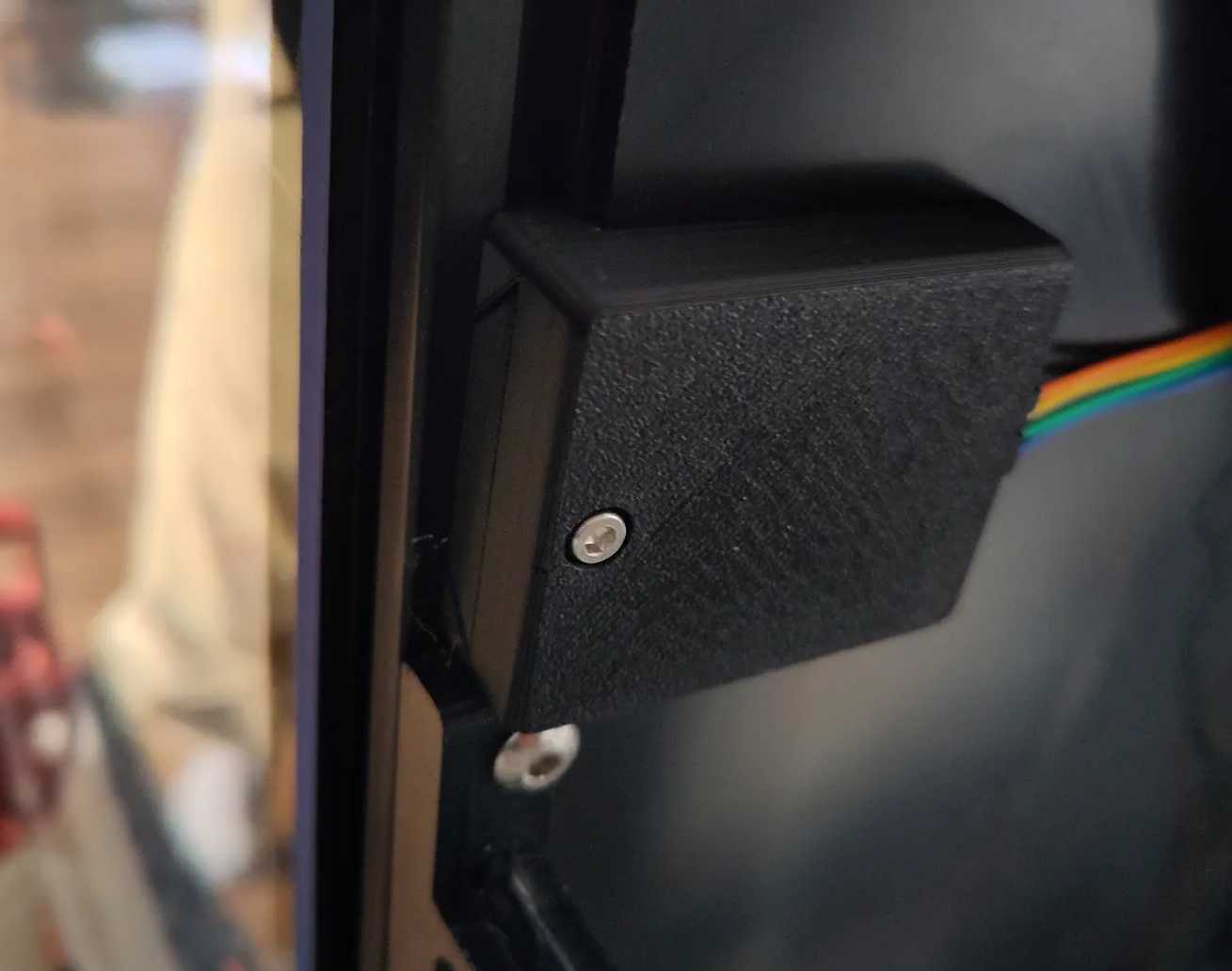
There is a model for attaching it to the printer
[here](https://www.printables.com/model/798929-elechouse-pn532-v3-nfc-holder-for-voron-for-spoolm).
### PN532 bug in the nfcpy module
When running it on a raspberry pi's mini-uart (ttyS0 as device), it works fine.
When using the other UART (ttyAMA0), I can only run the programs once.
I have to power cycle the PN532 to get them to run again. Just rebooting
the pi doesn't help.
This seems to be due to a bug in nfcpy (version 1.0.4),
see (https://github.com/nfcpy/nfcpy/issues/186).
A workaround that works for me is to change
`venv/lib/python3.*/site-packages/nfc/clf/pn532.py`
around line 390, from:
```python
change_baudrate = True # try higher speeds
```
to:
```python
change_baudrate = False # try higher speeds
```
There is an included patch file that can be applied:
```sh
patch -p6 venv/lib/python3.*/site-packages/nfc/clf/pn532.py < pn532.py.patch
```
## Preparing klipper
When a tag has been read, it will send these gcodes to Klipper:
* `SET_ACTIVE_FILAMENT ID=n1`
* `SET_ACTIVE_SPOOL ID=n2`
See [klipper-spoolman.cfg](klipper-spoolman.cfg) for the klipper
config for them. Klipper must also have a `[save-variables]` section
in its config, see
[Klipper's documentation](https://www.klipper3d.org/Config_Reference.html#save_variables).
## Preparing the slicer
For every filament, add a custom start gcode that calls:
`ASSERT_ACTIVE_FILAMENT ID=`
where `` is its filament id in Spoolman.
This can be done automatically by using [spoolman2slicer](https://github.com/bofh69/spoolman2slicer).
## Preparing tags
Tags can either contain custom data for nfc2klipper, or the tags'
id can be used to lookup the spool in Spoolman.
The first method allows the system to work even if spoolman isn't
working for the moment, but without Spoolman it might be of limited value.
The second method allows nfc2klipper to be used with
[FilaMan](https://github.com/ManuelW77/Filaman) and with manufacturers'
tags of different formats.
## Runing the backend
Run `nfc2klipper_backend.py`.
See further down for running it as a systemd service.
`nfc2klipper.py` is only there for backwards compability and making
development easier.
### Using tag's id
The latest read tags' identifier can be set in the Spool record in Spoolman via the web
server's page, click on the "Set in Spoolman" button for the spool that's loaded.
That way the tag will be connected to that spool without having to change its data.
It will also make the spool connected in FilaMan.
### SPOOL & FILAMENT in tags
The tags should contain an NDEF record with a text block like this:
```
SPOOL:3
FILAMENT:2
```
The numbers are the id numbers that will be sent to the macros in
klipper via the [Moonraker](https://github.com/Arksine/moonraker) API.
#### Write tags with the web server
`nfc2klipper_api.py` can be run as a (WSGI) web server with for example
[Gunicorn](https://gunicorn.org). It will then serve a web page for
writing to the tags or setting the spool's id in Spoolman, like FilaMan does.
Please note that nfc2klipper does not implement any authentication, so
only run this on secure networks, or add reverse proxy (like nginx)
with some authentication. Follow the link above for Gunicorn's
documentation.
To run it with **little security**;
```sh
gunicorn --bind localhost:5001 nfc2klipper_api:app
```
Change localhost to your computer's hostname (or IP-address) if it should server
the whole network.
One can also start the file directly, but then it uses a development
web server with **no security** at all (if enabled in the configuration file).
The program uses the configuration file (`~/.config/nfc2klipper/nfc2klipper.cfg`) for
getting the unix domain name used to communicate with the `nfc2klipper_backend.py`.
The web page lists the current spools in Spoolman.
By pressing the "Write" button, its info is written to the nfc/rfid tag.
By pressing the "Set in Spoolman" button, the tag's id is stored in
an extra field for the spool in Spoolman.
#### Write with an app
There is an Android app, [Spoolman Companion](https://github.com/V-aruu/SpoolCompanion), for writing
to the tags.
#### Write with console application
The `write_tags.py` program fetches Spoolman's spools, shows a simple
text interface where the spool can be chosen, and when pressing return,
writes to the tag.
Use the `write_tag` script to stop the nfc2klipper service, run the
`write_tags.py` program and then start the service again after.
## Run automatically with systemd
Copy `nfc2klipper_backend.service` to `/etc/systemd/system`, then run:
```sh
sudo systemctl start nfc2klipper_backend
sudo systemctl enable nfc2klipper_backend
```
To see its status, run:
```sh
sudo systemctl status nfc2klipper_backend
```
To run the web server, copy `nfc2klipper_api.service` to
`/etc/systemd/system`, then run:
```sh
sudo systemctl start nfc2klipper_api
sudo systemctl enable nfc2klipper_api
```
To see its status, run:
```sh
sudo systemctl status nfc2klipper_api
```
## Automatic upgrades with moonraker
Moonraker can be configured to help upgrade nfc2klipper.
Copy the `moonraker-nfc2klipper.cfg` file to the same dir as where
`moonraker.conf` is. Include the config file by adding:
```toml
[include moonraker-nfc2klipper.cfg]
```
## Use with Happy-Hare
(This is completly untested by me, please let me know if it works or not)
Change the `setting_gcode` value in nfc2klipper.cfg to:
```gcode
MMU_GATE_MAP NEXT_SPOOLID={spool}
```
See Happy-Hare's [documentation](https://github.com/CooperGerman/Happy-Hare/wiki/Spoolman-Support#auto-setting-with-rfid-reader)
## Use with Prusa's OpenPrintTag tags
The PN532 reader can not read NFC type 5 tags. A newer reader, like PN5180, is needed, but there is limited python support for using it.
That reader requires a SPI bus plus at least one more pin, preferably four more. I don't have that many pins free on my RPi.
IF I add support for it, I will probably connect it to a RPi Pico instead and then connecting them to the computer via USB.
## Use with OpenTag3D tags
(This is not tested with real tags. Please open an issue if it works or not).
[OpenTag3d](https://opentag3d.info/) is a tag format containing info about the spool and filament.
nfc2klipper can read the format (v0.12, possibly later), create vendor, filament and spool records in Spoolman from the tag's data.
The Filament's name is by default generated from the tag's `material_base` `material_mod` and `color_name` fields.
That can be changed in the configuration file.
The created spools and filaments in spoolman gets the data from the tag. Which tag's data field should end up in which spoolman field
is also configurable.
See Spoolman's API documentation [here](https://donkie.github.io/Spoolman/) to see the names of the fields in Spoolman.
You can also add extra fields in Spoolman for saving the data from the OpenTag3D tags.
## Related projects
* [FilaMan](https://www.filaman.app/) - a filament management system.
* [esp_to_spoolman](https://github.com/dimbas80/esp_to_spoolman) - like nfc2klipper, but running on an ESP32.
* [OpenPrintTag Scanner](https://github.com/ryanch/openprinttag_scanner) - like esp_to_spoolman, but with display and for PrusaLink instead of Klipper.
* [spool2klipper](https://github.com/bofh69/spool2klipper) - to set the filament id (and other data) when the spool id is changed.
* [spoolman2slicer](https://github.com/bofh69/spoolman2slicer) - create filament config from Spoolman.
* [OpenTag3d](https://opentag3d.info/) tag format.
## Developer info
Pull requests are happily accepted, but before making one make sure
the code is formatted correctly and linted without errors.
Format the code by running `make fmt` and lint it with `make lint`.
Python types are used. Check them with `make typecheck`
Add copyright info in SPDX format in new files and check that it is correct with `make reuse`.